
Use Power BI to report on Inspections
Learn how to set up PowerBI reporting with our templates and step-by-step video guide.
Beta Feature
Record360's Power BI templates are in beta, meaning things may not always work as smoothly as we hope. Everyone's Power BI and Record360 implementations are highly customized, so the template may require some customization by you.
Record360's Power BI integration lets you transform your inspection data into powerful visual reports and dashboards. Whether you're tracking fleet conditions, analyzing trends, or sharing insights with stakeholders, our pre-built data query template make it easy to get started.
Plan Levels
Using Power BI requires extracting data with Record360's API. API (& custom integration) access is included on the Professional Plan.
Getting Started
Access the walkthrough video and template here, and follow these instructions to get started. Remember, if you don't use department, you need to disable the Expanded department step (not in the video).
- Download the template for your organization
- Follow the video walkthrough to configure your connection
- Create and save an API key via the dashboard, saving your Secret Key and Key ID. See Authentication for instructions.
- Open the .pbit file in Power BI Desktop and enter your Record360 credentials in Power BI (see video linked above).
- Congrats, now you can import your Inspection data.
- Build and publish any Power BI reports you would like!
Record360 Template
We provide a Power BI template file (.pbit) that is generic for all organizations. This template will provide pre-built data queries that enable you to retrieve your inspection data via the Integration API. All the data will be organized into tables and ready for you to build into your reports.
How you execute this template may depend on your setup:
- Without Departments — For most customers, you will need to disable the
Expanded departmentstep. You can also do this for other objects, like location, if they return an error.
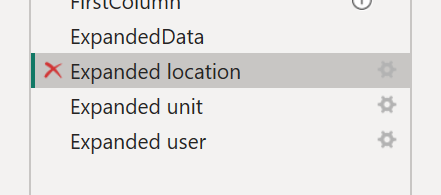
With Departments — use this template as is.
Need Help?
If you have questions about which template to use or need assistance with setup, please contact your CSM or support.
Updated 3 months ago